An almanac, not a lookup
Most panchang apps do math for a default city and a default timezone, then draw you a table. The whole point of the panchangam is that it’s local — sunrise, tithi boundaries and muhurta windows all shift with where you’re standing.
MyPanchang computes the day properly for your coordinates, then spends its effort on the part apps usually skip: what the day feels like.
The day has a shape
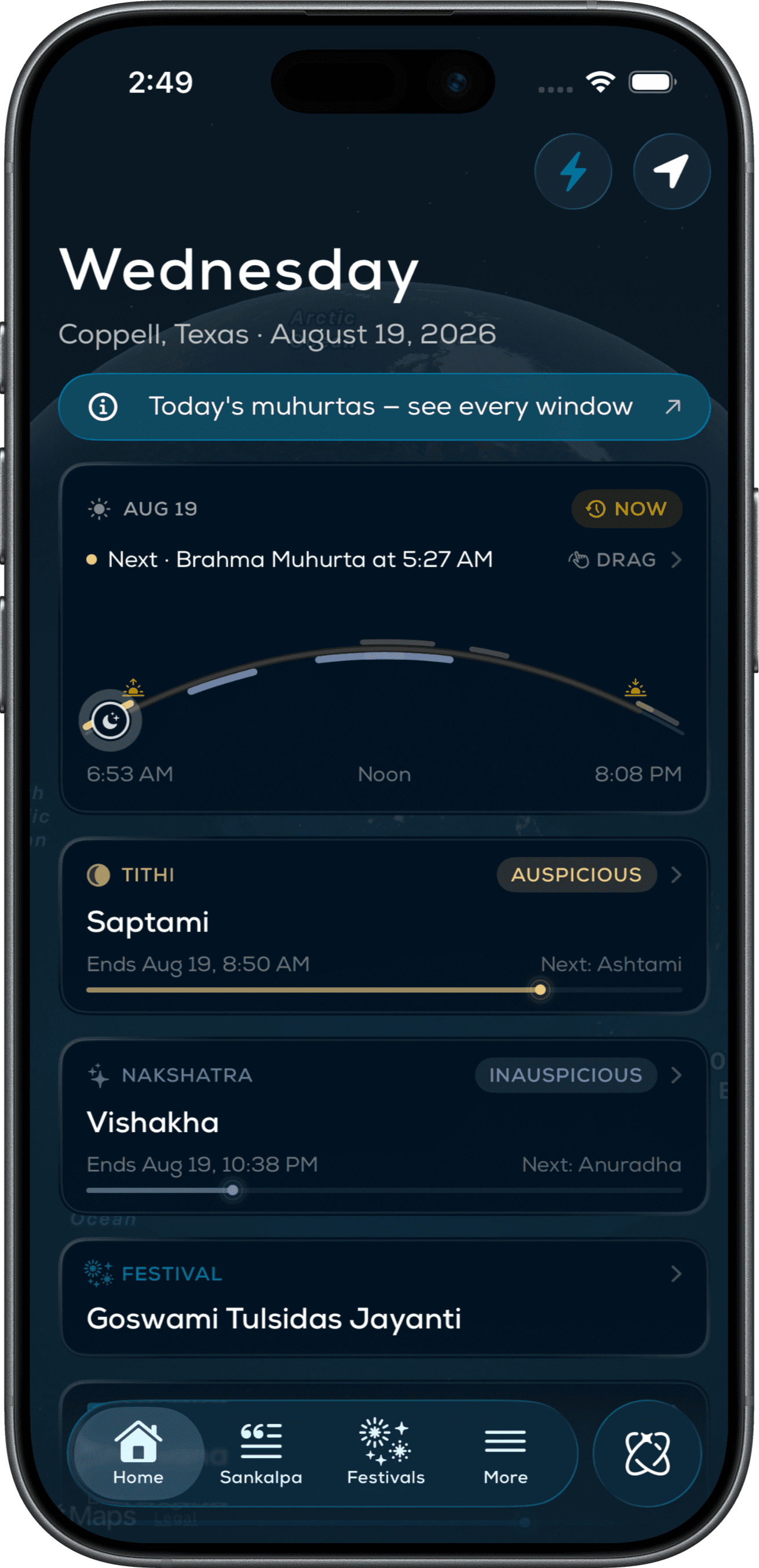
Instead of a list of times, the day is drawn as an arc from sunrise to sunset that you can drag through. Favorable windows glow gold; quiet hours sit muted underneath. You read a day like weather, not like a ledger.
It’s the kind of interface choice that only lands when the math underneath is right — the arc is a real computation, not a decoration.
Ask it a question
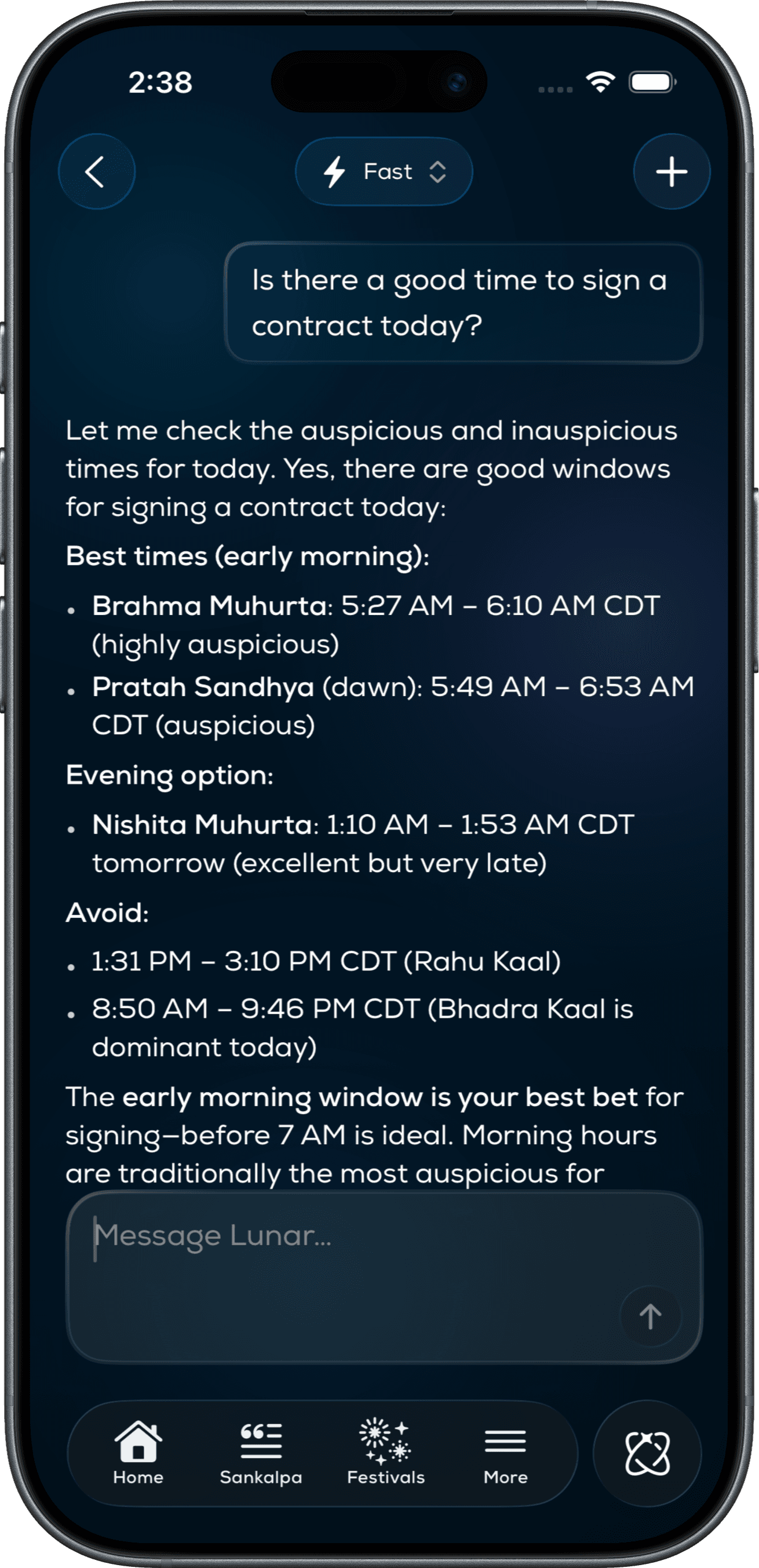
Luna is the assistant built into the day — ask “is now a good time to sign a contract?” and it answers from your actual panchang, with real windows, not a horoscope paragraph.
Rotating starter prompts change with the hour, so the feature teaches itself the moment someone reaches for it.
Everywhere, quietly
The panchang follows the device: Home Screen widgets, countdowns in the Dynamic Island and on Live Activities, the day on the wrist. The same computation, re-expressed at every glance size.
That’s the design principle that runs through v6 — a precise almanac that never asks you to open it. It’s free on the App Store, with Pro, Ultra and Max tiers for the people who live in it.